
TOKSORTER / CHROME TOOL
Install TokSorter — official Chrome extension
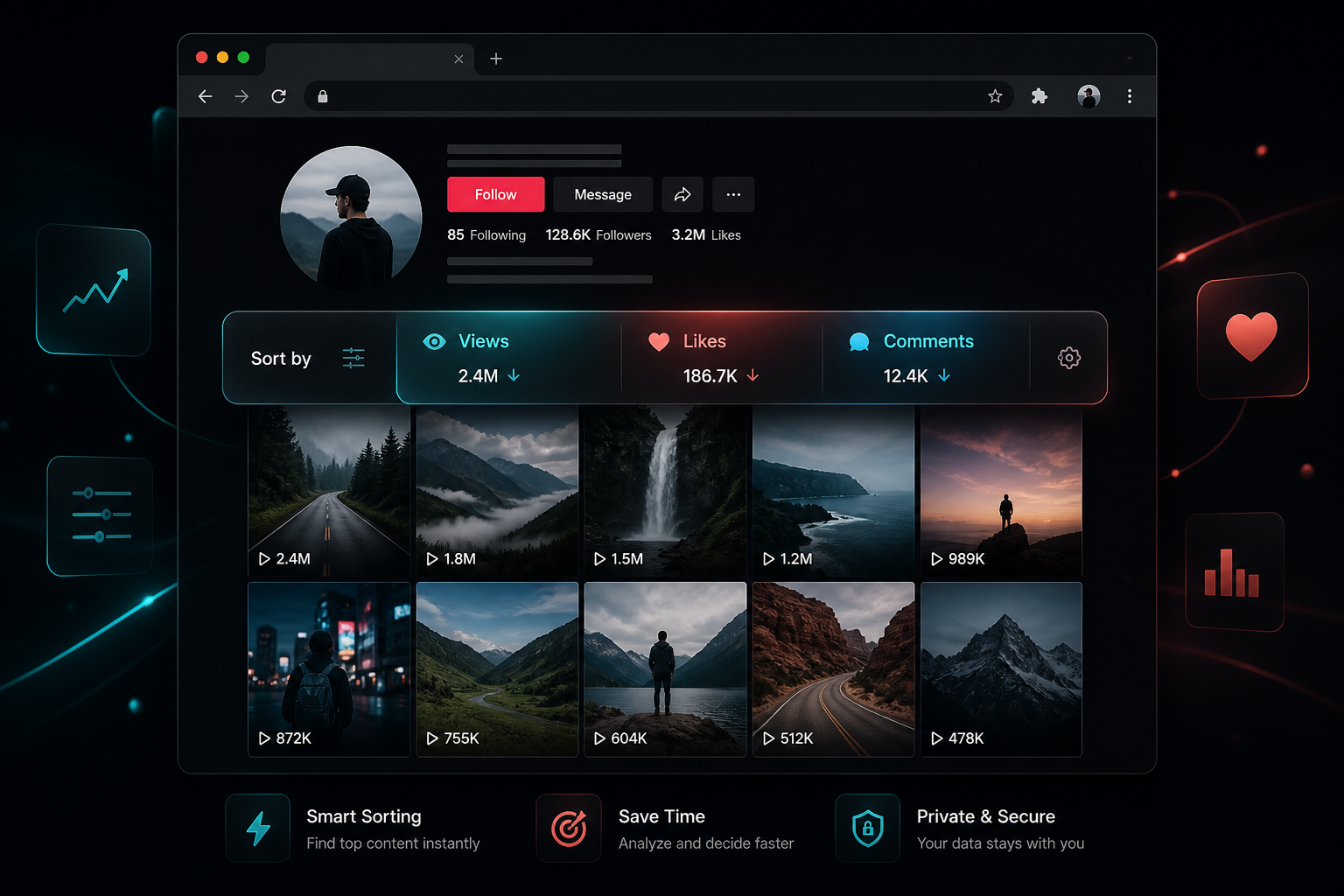
Install the TokSorter Chrome extension for visible-feed sorting, engagement overlays, CSV, JSON, and Excel export, selected transcripts, hashtag starting sets, and supported media saves.
Desktop Chrome · Opens the official Chrome Web Store

VERIFIED MARKETPLACE FEEDBACK
Rated by Chrome Web Store users
- Public ratings
- 8
- Version
- 1.1.0
- Checked
- 2026-09-08
Selected public reviews are reproduced verbatim with the reviewer name, rating, and publication date shown on the Chrome Web Store. Counts can change after the verification date of September 8, 2026.
“Outstanding extension”
“The swiftness of this tool is top notch!!”
“I love this tool, it works so perfectly!”
Install in 4 steps
- 01
Click Add to Chrome
Install from the official Chrome Web Store listing.
- 02
Pin TokSorter
Pin from the extensions menu for toolbar access.
- 03
Open tiktok.com
Profile, search, hashtag, music, or Explore.
- 04
Use the sort toolbar
Appears when posts load — sort, export, transcribe, download.
Everything included in TokSorter
TikTok feed sorter
Sort by views, likes, comments, shares, bookmarks, or date on supported pages.
Stats overlay
Views, likes, comments on each thumbnail — no clicking into every video.
CSV / JSON / Excel export
Structured exports for audits, reports, and team collaboration.
Video transcription
Convert spoken audio to text for hook research and repurposing.
Hashtag generator
Broad, niche, and evergreen starting sets organized by topic.
Media download
Save supported public videos and photos while browsing.
Zen mode
Cleaner layout for focused research sessions.
66 languages
Extension UI support for global creator and agency teams.
Built for TikTok researchers on desktop Chrome
Mobile TikTok is for watching. Desktop Chrome with TokSorter is for research — sorting profiles, exporting competitor data, transcribing viral hooks, and downloading reference clips in one workflow.
TokSorter is an independent third-party tool not affiliated with TikTok or ByteDance. Use it responsibly and in accordance with TikTok's Terms of Service.
Add TokSorter to Chrome — free
Install from the official listing, open a supported public TikTok page, and review the loaded set in your browser.
Frequently Asked Questions
- What permissions does TokSorter need?
- TokSorter needs access to TikTok.com to read visible post data for sorting, export, download, and transcription. Core processing runs locally in Chrome.
- Does TokSorter collect my browsing data?
- Sorting, filename previews, basic exports, and media downloads are described as local core features in the current Chrome Web Store listing. Optional online tasks, including some transcription or cloud processing, require a network connection and process the data needed to complete the requested task.
- Which browser supports TokSorter?
- Desktop Google Chrome. Install from the Chrome Web Store, pin the extension, and open tiktok.com.
- How do I pin TokSorter?
- Click the puzzle icon in Chrome → find TokSorter → click the pin. The on-page toolbar appears when posts load.
- Is TokSorter free?
- Core sorting, stats overlay, export, and downloads are free. Optional cloud tasks may require sign-in — see the Chrome Web Store listing.
- Does it work without a TikTok login?
- Yes for public pages. TokSorter reads visible content on the page you have open.